
Export order files
If you’re a designer, Export appears only on your own orders once they’re accepted, and lists only the reports your manufacturer has set up for designers. If they haven’t set any up, there’s no Export button.
- Open the order.
- Select Export.
- Select the file you want.
The file downloads to your computer.
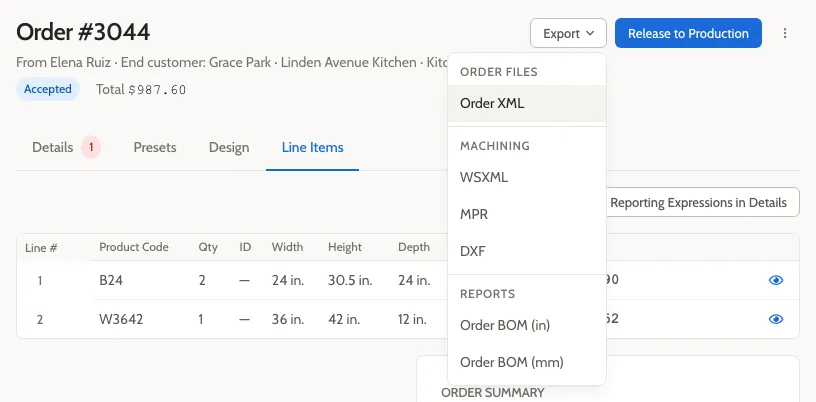
For Order Managers, the files on offer depend on the order’s status. A submitted order offers a bill of materials; an accepted order offers production files such as Order XML and machining files. Export doesn’t appear on quotes, rejected orders, or canceled orders.
See Export files for every file, when it’s available, and what it’s for.