
Find an order
- In the left menu, select Orders.
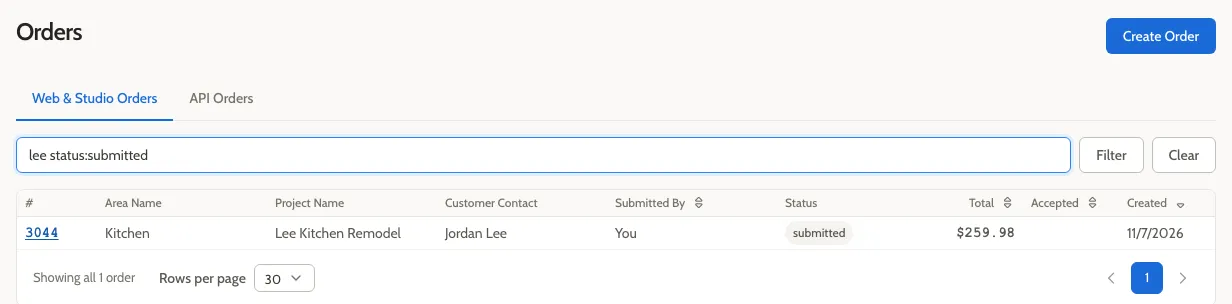
- In the filter box at the top of the list, type what you’re looking for, then press Enter or select Filter.
Common searches
Section titled “Common searches”| To find… | Type |
|---|---|
| an order by its number | order:414 |
| orders for a customer, project, or area | a distinctive part of the name, such as smith |
| orders someone created (the Submitted By column; Order Managers only) | part of their name or email |
| orders waiting on you, as an Order Manager | status:submitted,accepted |
| orders waiting on the submitter, or on you as a designer | status:pendingConfirmation |
| orders in the shop | status:inProduction,staged |
| orders accepted since a date | acceptedAfter: and the date, such as acceptedAfter:2026-09-01 |
Combine a word with a status to narrow a search: smith status:accepted.
Show everything
Section titled “Show everything”For Order Managers, the list starts with a filter that hides blank quotes and canceled and rejected orders. Select Clear to show every order. For designers, the list starts with no filter, so it already shows everything.
Sort the list
Section titled “Sort the list”Select the Total, Accepted, or Created column heading to sort by it, or Submitted By if you’re an Order Manager. Select it again to reverse the order.
If you’re a designer
Section titled “If you’re a designer”The Orders page shows only orders you created.
Related
Section titled “Related”- Order list filters lists every filter you can use.