
Discuss a project with your team
Every project and area has a Discussions tab: a thread for notes about the job, such as a change the customer asked for on the phone. Order Managers and the person who created the project can read and post in it.
- Open the project, or one of its areas.
- Select the Discussions tab.
- Type in Add a comment…, then select Send Comment.
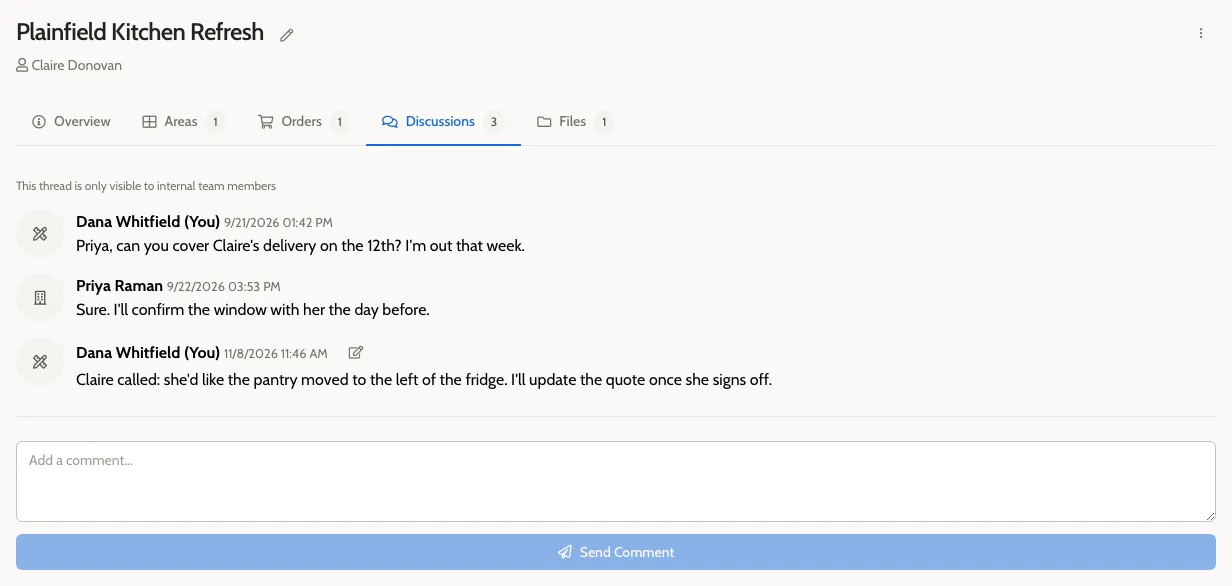
The comment appears with your name and the time. The project’s Overview shows how many comments it has under Internal Notes.
Use the project’s thread for the whole job, and an area’s thread for one room.
Edit a comment
Section titled “Edit a comment”Select the pencil icon on your comment (Edit comment). You can edit your own comments for 15 minutes after posting them.